Begin with a silhouette
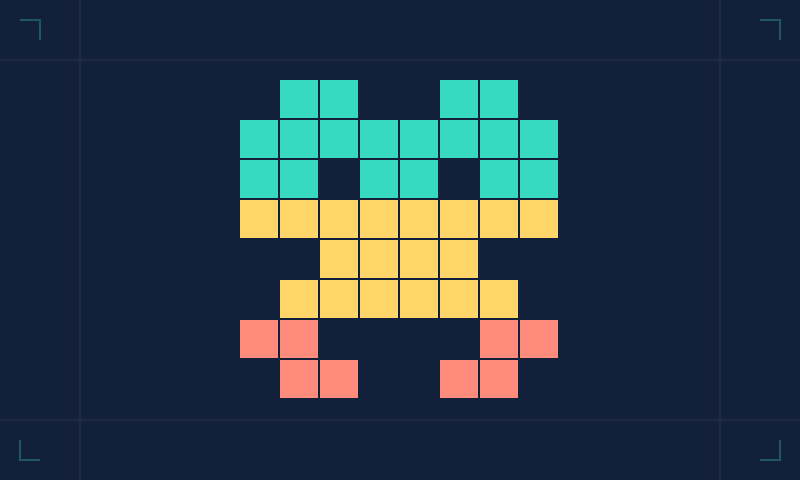
Open Pixel Studio and choose one dark colour. Think of a simple subject: a frog, a little robot, a cat or a letter. Place the widest part first. On an eight-by-eight grid, the subject will be suggested rather than realistically described, so give it one feature you can recognise from across the room. Two ears and a square face can communicate more than a crowded collection of tiny details.
Leave empty squares
Empty space is part of the drawing. Leave a border if your subject allows it, and leave a gap between features that need to remain separate. When everything touches everything else, a small image becomes hard to read. Use the erase colour to try a different outline. You can clear the canvas completely, but changing one square at a time often tells you more about what the shape needs.
Add a second colour with a job
Give your accent colour something specific to do: eyes, a beak, a badge or a bright top. Avoid adding a new colour just because there is room on the palette. The goal is not to win a competition for the fewest colours. It is to understand why each colour is present. Two squares can suggest an expression; a third may muddy it. Try both versions and keep the one you can explain.
Read it at another scale
Our editor uses large buttons so each square is easy to select. The exported SVG scales cleanly and can be viewed smaller. Check whether the shape still makes sense when reduced. If it disappears into a blob, separate the main features more clearly. If it becomes too sparse, add one connecting square. Save an early version before making bigger changes so you can compare the actual pictures rather than relying on memory.
Make a small family
Once you have one mascot, make a companion using the same proportions. Change the silhouette first, then the accent. Give each file a descriptive name after downloading it. This is an original activity, not a professional design claim or a borrowed sprite collection. There is no account, upload or public gallery: the picture is made in your browser and the export goes to your device. Keep it personal, or turn it into a miniature greeting for someone who would enjoy it.
TAKE ANOTHER BYTE
Open Pixel StudioAbout this activity
This is an original Really Byte creative guide. It offers a small activity rather than a claim of professional expertise or a product review.
Researched and written with AI assistance, edited for the Really Byte collection. Spotted an error? Tell us. Read our editorial approach.